FloatCrafter CS2 trade-up tool
Trade up smarter. FloatCrafter shows you if a trade-up is worth doing before you risk a single skin. See the likely profit, the odds for each possible output, and live prices from multiple sources — all in one place. Start in free planning mode and upgrade when you want to execute approved trade-ups.
Free planning mode available. Upgrade to Pro anytime.
Already have an account? Sign in
10-item trade-up contracts
Live multi-source pricing
2 platforms Windows · Linux
Desktop native app, no browser
See it in action
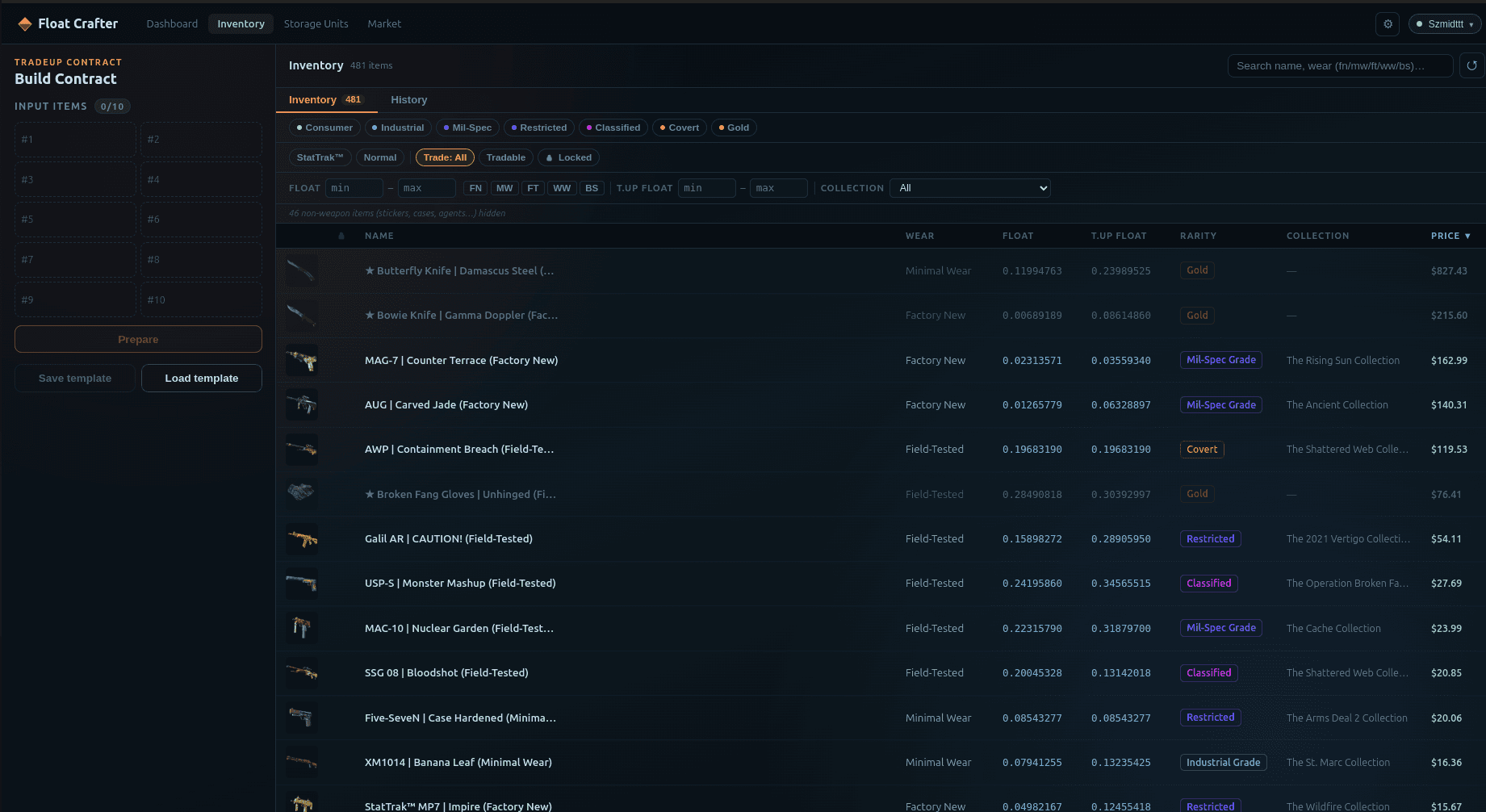
The whole workflow in one window Build the contract on the left, browse your inventory on the right. Every float value, rarity filter, and price is live.
Explore the app
Built for every part of the workflow Inventory + filters Coming soon
Trade-up EV preview Coming soon
Output odds breakdown Coming soon
Saved templates Coming soon
How it works
Three steps to a better trade-up 01 Load your CS2 inventory Connect your Steam inventory. FloatCrafter reads your items and their floats directly.
02 Build a trade-up contract Pick 10 inputs, filter by float range, and see every possible output with its probability.
03 Know if it is worth doing See the likely profit before you commit. Only run trade-ups where the numbers make sense.
Features
Everything you need to trade smarter Profit Calculator Before you lock in a trade-up, see how much profit it is likely to return based on current prices.
Trade-up Builder Build setups with live float filtering. Save the ones that look good and come back to them.
Odds Breakdown See the chances of getting each possible output so you know exactly what you are risking.
Live Multi-Source Pricing Prices sync from multiple sources automatically so you are always working with current numbers.
Ready to trade smarter? Free planning mode is always available. Upgrade to Pro from $7.99 / month when you want to execute approved trade-ups.
FAQ
Common questions Does FloatCrafter guarantee profit? No. It shows expected value and probabilities. Results are never guaranteed.
Do you store my Steam password? No. Steam authentication is handled locally in the desktop app. Credentials are never sent to FloatCrafter servers.
Can I use the free plan forever? Yes. Free planning mode has no time limit.
What happens if I cancel Pro? You keep access until the end of your billing period, then return to the Free plan.
Which platforms are supported? Windows and Linux. macOS support will be prioritized based on demand.
Is this affiliated with Valve or Steam? No. FloatCrafter is an independent tool and is not endorsed by or affiliated with Valve Corporation.